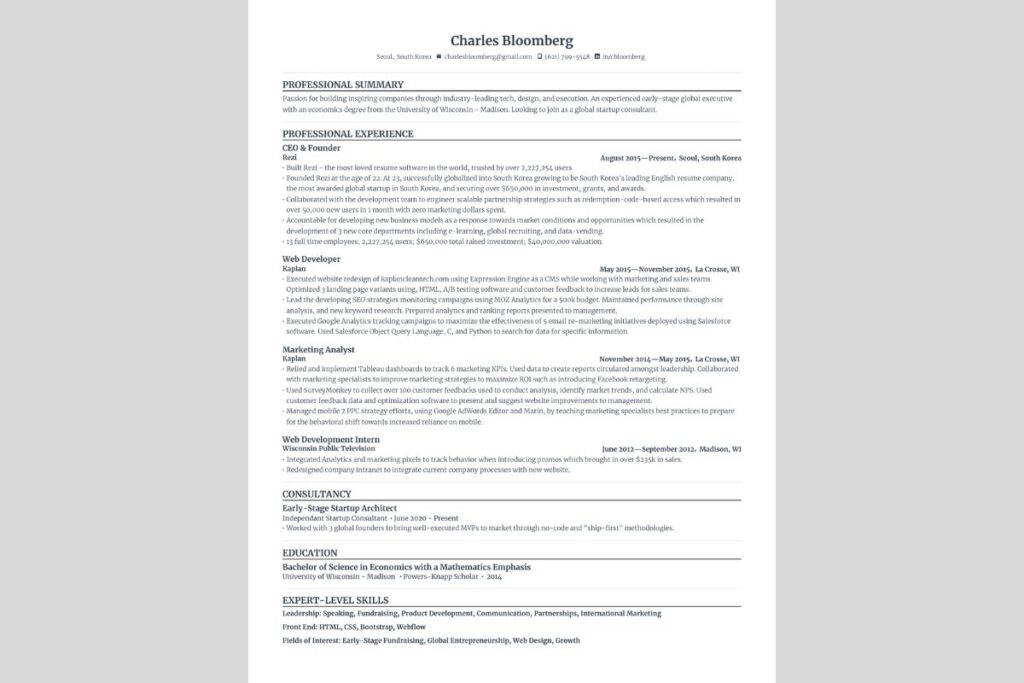
How to Make an ATS-Friendly Resume
In today’s competitive job market, understanding How to Make an ATS-Friendly Resume is no longer optional—it’s essential. More than 90% of large companies now use Applicant Tracking Systems (ATS) to screen resumes before a human recruiter ever sees them. If your resume is not optimized for ATS, it may never reach the interview stage, regardless of your qualifications.
This comprehensive guide will walk you step by step through everything you need to know about creating a resume that passes ATS filters, ranks high for recruiter searches, and still looks professional to hiring managers. Whether you are a fresher, an experienced professional, or someone looking to switch careers, this guide is designed to help you succeed.
What Is an ATS-Friendly Resume?
An ATS-friendly resume is a resume formatted and written in a way that Applicant Tracking Systems can easily read, parse, and rank. These systems scan resumes for keywords, skills, experience, and structure to determine whether a candidate matches the job description.
Why ATS Matters in 2026
- Companies receive 250+ resumes per job posting
- ATS filters out 70–80% of applications automatically
- Recruiters typically review resumes for 6–8 seconds
If your resume fails ATS screening, it doesn’t matter how strong your experience is.
How ATS Software Works
ATS software scans your resume and assigns a score based on:
- Keyword relevance
- Job title matching
- Skills alignment
- Work experience structure
- Resume formatting
Resumes that score higher are passed to recruiters.
Common Resume Mistakes That Fail ATS
Avoid these ATS-killing mistakes:
- Using tables or text boxes
- Adding headers or footers
- Using fancy fonts or icons
- Uploading image-based resumes
- Keyword stuffing without context
These issues prevent ATS software from reading your resume correctly.
ATS-Friendly Resume Format (Recommended)
Best Resume Formats for ATS
- Reverse-chronological (Best choice)
- Combination format
- Functional format (not recommended for ATS)
Ideal Resume Structure
- Contact Information
- Professional Summary
- Skills Section
- Work Experience
- Education
- Certifications (optional)
Fonts, Layout & Design Rules
Use clean, ATS-readable fonts:
- Arial
- Calibri
- Times New Roman
- Helvetica
Formatting tips:
- Font size: 10.5–12 pt
- Use standard margins (1 inch)
- Align text left
- Use bullet points, not paragraphs
Keyword Optimization for ATS
ATS systems work like search engines. Keywords matter.
How to Find the Right Keywords
- Read the job description carefully
- Identify repeated skills and phrases
- Match job titles exactly
- Use industry-standard terminology
Example:
Job description says “Search Engine Optimization”
Do not replace it with “SEO” unless both appear
Skills Section: The ATS Power Zone
Your skills section should be:
- Clearly labeled (“Skills”)
- Keyword-rich
- Easy to scan
Example:
- Technical Skills: Python, SQL, Java
- Marketing Skills: SEO, Google Ads, Content Marketing
- Soft Skills: Communication, Leadership, Teamwork
Writing an ATS-Optimized Professional Summary
Your summary should:
- Be 3–4 lines
- Include job title keywords
- Highlight measurable achievements
Example:
Digital Marketing Specialist with 5+ years of experience in SEO, PPC, and content strategy, driving 120% traffic growth.
Work Experience That Passes ATS
Use this formula:
Action Verb + Skill + Result
Example:
- Managed SEO campaigns increasing organic traffic by 85%
- Developed ATS-friendly resumes for 500+ clients
Use exact keywords from the job description naturally.
Education Section: ATS Best Practices
Include:
- Degree name
- Institution
- Graduation year
Avoid:
- Logos
- Decorative formatting
ATS-Friendly Resume for Freshers
If you’re a student or recent graduate, learning how to make an ats friendly resume for freshers is critical.
Tips for Freshers:
- Focus on skills, projects, and internships
- Add certifications and online courses
- Use a strong summary instead of experience-heavy content
Example:
- Academic Projects
- Freelance Work
- Internships
How to Make an ATS-Friendly Resume for Free
You don’t need expensive tools. Many job seekers ask how to make an ats friendly resume for free, and the answer is simple.
Free Options:
- Google Docs
- Microsoft Word
- Free resume builders
- Open-source templates
Make sure the final file is exported as:
- PDF (if employer allows)
- DOCX (safest)
How to Make ATS Friendly Resume Free Online
Several platforms allow you to how to make ats friendly resume free online without paid subscriptions.
Tips when using online tools:
- Disable design elements
- Use plain templates
- Manually review keyword placement
- Test resume before submission
ATS Resume File Type: PDF or DOCX?
✔ DOCX – safest option
✔ PDF – acceptable if text-based
❌ JPG, PNG – rejected by ATS
Always read the job application instructions.
ATS Resume Checklist (Quick Scan)
Before submitting, confirm:
- ✔ Simple formatting
- ✔ Correct keywords
- ✔ No graphics or icons
- ✔ Standard headings
- ✔ Correct file type
Resume Testing Tools (ATS Simulators)
Use these tools to test ATS compatibility:
- Resume keyword scanners
- Job description match tools
- Resume parsing previews
Aim for 80%+ keyword match.
ATS Resume Examples (What Works)
Good Example:
- Clear headings
- Standard layout
- Keyword-optimized
Bad Example:
- Two-column design
- Icons and images
- Creative fonts
FAQs: ATS-Friendly Resume (Schema-Ready)
❓ What is an ATS-friendly resume?
An ATS-friendly resume is designed so applicant tracking systems can read, parse, and rank it accurately.
❓ Can ATS read PDF resumes?
Yes, if the PDF is text-based and not image-heavy.
❓ Is Canva resume ATS-friendly?
Most Canva resumes are not ATS-friendly due to design elements.
❓ How long should an ATS resume be?
1 page for freshers, 1–2 pages for experienced professionals.
Final Thoughts
Mastering How to Make an ATS-Friendly Resume can dramatically increase your chances of landing interviews in 2026. By using clean formatting, strategic keywords, and ATS-tested structure, you ensure your resume passes automated screening and appeals to recruiters.
If you found this guide helpful, share it with friends, bookmark it for later, and leave a comment with your questions. The right resume can change your career—start optimizing today.